Showing posts with label featured. Show all posts
Showing posts with label featured. Show all posts
Tuesday, October 11, 2016
Featured Posts Widget For Blogger With Thumbnails
Featured Posts Widget For Blogger With Thumbnails
 In this post, I am going to give a tutorial on how to add the most beautiful Featured Posts Widget with thumbnail for blogger which changes its opacity on mouse hover. As you can see, I have implemented this Widget on My Blog itself at the bottom.
I find this Widget very useful and Traffic generating for Bloggers. There are many posts which bloggers think are not getting the traffic they deserve, So adding a Featured Post Widget will help those posts get attention and It can increase traffic.
Display your best articles in a simple featured post section using the custom HTML gadget.
the display can be customized just like Recent and Random Posts Widgets. The Widget includes resizeable Post Thumbnails. This Widget is extremely easy to install. So lets get started and add it to your blog.
the display can be customized just like Recent and Random Posts Widgets. The Widget includes resizeable Post Thumbnails. This Widget is extremely easy to install. So lets get started and add it to your blog.

STEP 1: Adding The Featured Posts Widget CSS Code
1. Go to your Blogger dashboard > Template > Edit HTML.
2. Find ]]></b:skin> and add the following code just above it.
#b4eboxes{height:210px;overflow:hidden;margin-bottom:10px;position:relative;width:auto;background:Your Color Code;border:0px solid #333; padding:5px 5px;}3. Save your Template.
#b4eboxes ul{margin-left: 10px; padding: 0pt; position: relative; list-style-type: none; z-index: 1; width: 100%;}
#b4eboxes ul li{overflow: hidden; float: left; width: 180px; height: 180px; border-top:0px solid #333; margin-right:6px; padding:2px 0px 4px 0px;}
#b4eboxes ul li:hover{border-bottom:2px solid #cdcdcd;}
#b4eboxes img{width:150px;height:100px; padding:2px; border: 1px solid #A3A3A3; border-radius:10px; -moz-border-radius:10px; margin-top:0px;}
#b4eboxes img:hover{border: 1px solid #c5c5c5;}
#fw{float:right; font-size:10px; margin-top:10px; padding-right:13px;}
.b4ebody img{float:left}
.b4ebody {position:relative;margin:0 5px 0 5px;width:170px;height:210px;display:inline;float:left;color:#c4c4c4}
.b4ebody h3{padding:5px 0;font-size:12px;font-weight:bold; font-family: verdana, sans-serif, arial; margin:0;}
.b4ebody p{margin:0; padding:0 0;color:#cdcdcd;font:10px normal verdana, sans-serif, Arial;}
.Fadein3 img {filter:alpha(opacity=80);opacity: 0.8;border:0;}
.Fadein3:hover img {filter:alpha(opacity=100);opacity: 1.0;border:0;}
Customize Featured Post Widget:
If you want to match the Widget with your colored Template. You can easily do that by changing the CSS Code. Change it little bit to get your Widget customizable according to your Template. background:Your Color Code
You could add a border to the Widget by using 1 or 2 at instead of Value 0. border:0
STEP 2: Featured Posts Widget HTML Code
Go to Design > Add a Gadget > HTML/JavaScript. Now simply add the following code in that widget:
<div id=b4eboxes><div style=visibility: visible; overflow: hidden; position: relative; z-index: 2; left: 0px; width: 100%;><ul>Customizations:
<li><div class=b4ebody><a class=Fadein3 href=POST 1 LINK><img height=100 src=POST 1 IMG LINK width=170/></a><div class=clear></div><h3><a href=POST 1 LINK>POST 1 DESCRIPTION</a></h3><p>POST 1 PARAGRAPH</p></div></li>
<li><div class=b4ebody><a class=Fadein3 href=POST 2 LINK><img height=100 src=POST 2 IMG LINK width=170/></a><div class=clear></div><h3><a href=POST 2 LINK>POST 2 DESCRIPTION</a></h3><p>POST 2 PARAGRAPH </p></div></li>
<li><div class=b4ebody><a class=Fadein3 href=POST 3 LINK><img height=100 src=POST 3 IMG LINK width=170/></a><div class=clear></div><h3><a href=POST 3 LINK>POST 3 DESCRIPTION</a></h3><p>POST 3 PARAGRAPH</p></div></li>
<li><div class=b4ebody><a class=Fadein3 href=POST 4 LINK><img height=100 src=POST 4 IMG LINK width=170/></a><div class=clear></div><h3><a href=POST 4 LINK>POST 4 DESCRIPTION</a></h3><p>POST 4 PARAGRAPH</p></div></li>
<li><div class=b4ebody><a class=Fadein3 href=POST 5 LINK><img height=100 src=POST 5 IMG LINK width=170/></a><div class=clear></div><h3><a href=POST 5 LINK>POST 5 DESCRIPTION</a></h3><p>POST 5 PARAGRAPH</p></div></li></ul><div id=fw title=Featured Posts Widget For Blogger> <a href=http://shakeelasghar.blogspot.com/2012/08/featured-posts-widget-for-blogger-with.html>Featured Post Widget</a></div></div></div>
The widget contains 5 featured posts. So you have to configure all those posts links, images for each posts, their description and a small paragraph related to that post.
Replace POST LINK with the Links of your Posts.
Replace POST IMG LINK with the Image Links of your posts.
Replace POST DESCRIPTION with the title of your posts.
Replace POST PARAGRAPH with your own content.
Save your template.
HINT: If you find any width issues or wish to add Featured Post Widget exactly as I have added on my Blog, then please follow these steps:
Find the opening of your lower or footer wrapper
Example: <div id=lower> or <div id=footer> This may very with respect to templates. Add the Featured Posts Widget HTML Code before the opening of lower or footer wrapper.
Thats all. Hope that was useful and exciting.
Go to link download

Tuesday, September 27, 2016
16 Best Free Blogger Templates Featuring Amazing jQuery Featured Slideshows
16 Best Free Blogger Templates Featuring Amazing jQuery Featured Slideshows

So in no particular order here is the list !
Sixteen Free Blogger Templates With Fitted Featured Sliders
-Click On The Screenshot Of Each Template For The Demo and Download Details.
Namisan - Stunning Slider Blogger Template
Namisan has the latest jQuery Featured Slideshow from Cu3er with stunning transitions that completely slice up the images between slides.A well coded template packed with gadgets and features Namisan has a two column layout with right sidebar.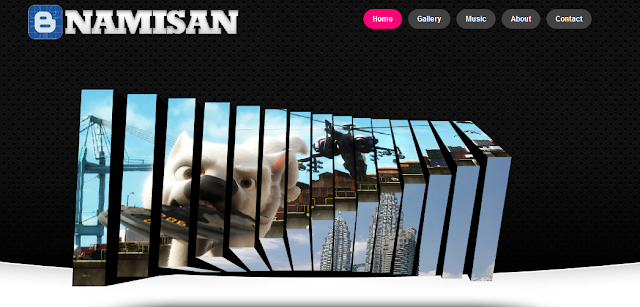
Ocenolis Magazine - Advanced Blogger Template
A colorful Three Column Blogger template with Two right sidebars.The Featured Slider, Image Slideshow Displays the images in a stacked fashion which rotate on click.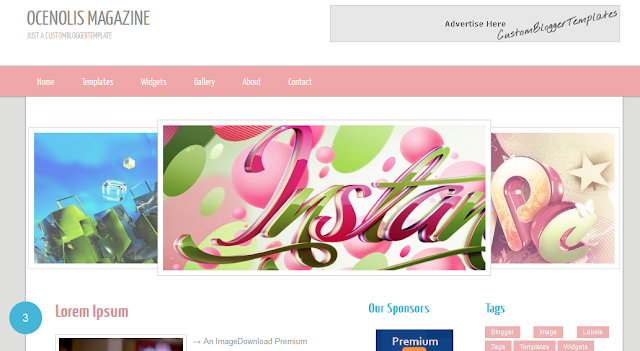
Nyke - Magazine Blogger Template
The Featured Slider, Image Slideshow has a very unique rounded bottom and a number of coll transitions between images.The template has a two column layout with right sidebar.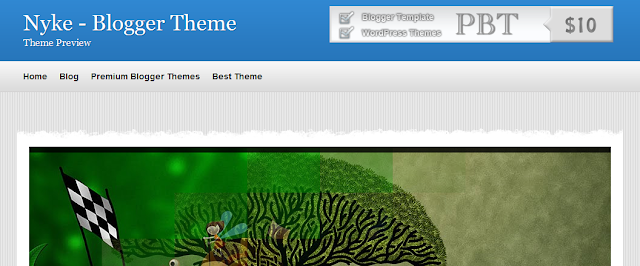
Floor - jQuery Rich Blogger Template
This is a dark colored template with a right sidebar.This template has a featured Carousal section brilliantly built into the design.Using jQuery the slides, info and link approach from different directions.
Game Madness - Assassins Creed Blogger Template
The Featured Slider, Image Slideshow on the Game Madness template spans the full width of the blog with nice transitions from each corner.The template has lots of extra gadgets and a gaming theme.
MoonLight - Clean Magazine Blogger Template
The Featured Slider, Picture Slideshow on Moonlight has a more simple design but fits neatly above the posts with auto scroll and manual scroll options.The template has a minimalist design with two columns and a right sidebar.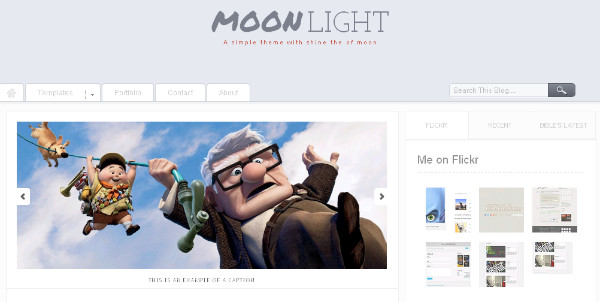
Simplex Buzz - Full Background Slideshow
Simplex Buzz has a very unique Slideshow indeed as the blogs entire background is the slideshow !.Then template also has a secondary featured posts section and a two column design with right sidebar.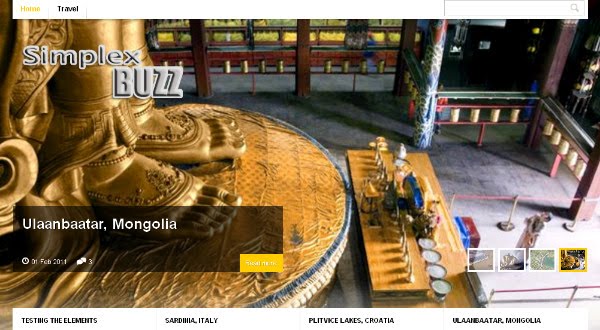
Oracle - Advanced Magazine Blogger Template
Oracle has a beautifully fitted Featured Slider, Image Slideshow with the sides fading away.The slides auto scroll with a manual scroll option.The template also has a two column magazine design with a left sidebar.
Extreme - Portfolio Magazine Blogger Template
Extreme Portfolio has a full featured section below the header were users can scroll through featured posts.The template also has a second categories section and a two column layout with right sidebar.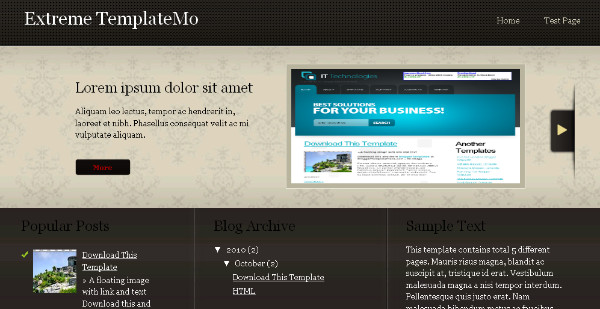
Superb - Advanced Blogger Template
Superb has a really amazing and unique Featured Slider, Image Slideshow.The slides are stacked and move across with the titles listed vertically on the side.Superb has lots of other great features and a two column layout with right sidebar.
Modern Photography - Abstract Style Template
Modern Photography is a specialist Blogger template with a cool large Featured Slideshow, Image Carousal.The slider has a continues scroll and manual scroll option.The layout is two column with a right sidebar.
Calenotis - Photographers Magazine Blogger Template
Calenotis has a beautiful full width Featured Slider Slideshow that has a 3D design.The slides are on auto scroll with a number of different transitions.The template also has a professional magazine design with a two column right sidebar layout.
Magulesco -Featured Magazine Blogger Template
Magulesco has an extremely clean professional design.The Featured Slider Slideshow sits over the header and body with a wide crisp design.The slides have some neat transitions with description section on each.The template also has a two column magazine design with right sidebar.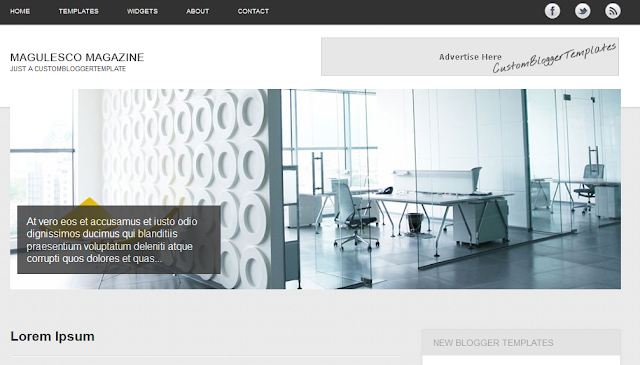
Dimenzion - 3D Style Blogger Template
Dimenzion has a classic featured slider with the featured posts listed to the right of the slides for navigation.The templates design is bright and somewhat unique with a two column right sidebar layout.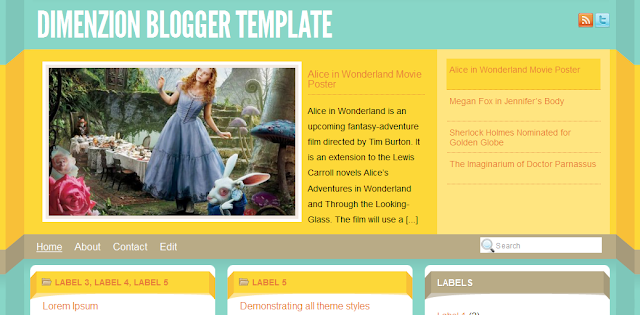
Glow - Free Premium Blogger Template
Glow has a beautifully constructed Featured Slider Slideshow.The slides are visible as thumbnails on the left of the full size slider.The template also has a glowing two column magazine design with right sidebar.
Mahasoli Tribune - Magazine Blogger Template
Mahasoli Tribune features a stacked style image slider, each image has a description and all images overlap to open out when clicked.The template has a magazine design with a two column right sidebar layout.
Thats the list have you a favorite ?
You can check out more Blogger Templates With Featured Sliders Here.
For Help check out the Blogger Template Video Help Page on BestBloggerTemplates.Net for instructions on uploading and using custom templates.
Here on Spice Up Your Blog i have more great templates lists including My Favorite Gallery Templates, Magazine Templates and Some Strange Odd Templates.
Go to link download
Subscribe to:
Posts (Atom)