Showing posts with label photoshop. Show all posts
Showing posts with label photoshop. Show all posts
Thursday, December 8, 2016
Glowing Windows Logo Effect in Field Photoshop Tutorial
Glowing Windows Logo Effect in Field Photoshop Tutorial
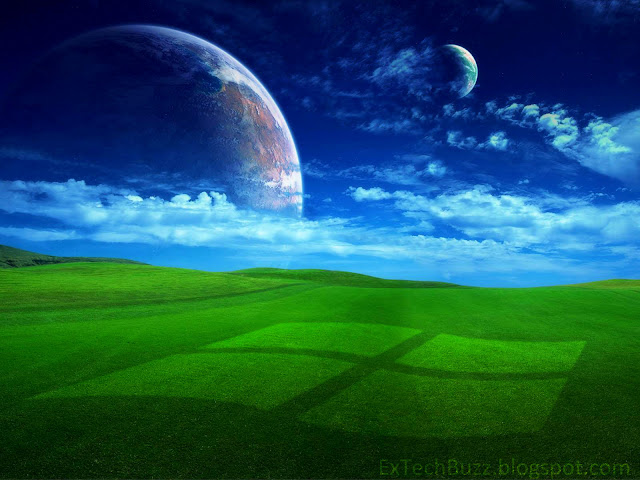
In the following tutorial you will use Free Transform, Filter and Layer styles in Photoshop CS5 to create “Windows logo effect in green field”. You can use these techniques to create your own Photoshop Effect & Style after read this Tutorial.
Read more »Finale Result
Here is a finale preview of what we are going to create with Photoshop. (Click on the image to see a large version of the result).
Click to enlarge
Let's get started!
Go to link download

Sunday, November 13, 2016
Adobe Photoshop Collections Free Download
Adobe Photoshop Collections Free Download


Adobe Photoshop software is the professional image editing standard, helps you work more efficiently, explore new creative options, and produce the highest quality images for print, the Web, and anywhere else. Create exceptional imagery with easier access to file data; streamlined Web design; FASTER, professional-quality photo retouching; and more. Adobe distiller Adobe Photoshop 7.0 helps you stay competitive with innovative tools that deliver new ways to express your creativity and work efficiently. With Photoshop, you can more easily produce exceptional imagery for print, the Web, wireless devices, and other media. Photoshop rounds out its comprehensive toolset with new capabilities to meet any creative or production demand and to handle the widest variety of image editing tasks in the most efficient way. With enhanced Web features, you can instantly make Web page elements transparent simply by knocking out one or more colors; create dithered transparencies; manage Web page rollovers and animations; and create more sophisticated Web rollovers. Powerful new tools help you explore your creativity without limits so you can more easily meet the Multimedia demands of today’s market. Simulate traditional painting techniques (including pastels and charcoal) with dry and wet brush effects and much more.
Content-Aware Fill
Remove any image detail or object and watch as Content-Aware Fill magically fills in the space left behind. This breakthrough technology matches lighting, tone, and noise so it looks as if the removed content never existed.
Remove any image detail or object and watch as Content-Aware Fill magically fills in the space left behind. This breakthrough technology matches lighting, tone, and noise so it looks as if the removed content never existed.
Enhanced 3D realism and rich materials
Enhance 3D objects and designs with easy shadow creation, image-based lights, and materials like glass and chrome. Explore with different focus points in your 3D scene by adjusting the range for depth of field.
Enhance 3D objects and designs with easy shadow creation, image-based lights, and materials like glass and chrome. Explore with different focus points in your 3D scene by adjusting the range for depth of field.
3D extrusions with Adobe Repoussé
Create stunning 3D logos and artwork from any text layer, selection, path, or layer mask with Adobe Repoussé technology. Twist, rotate, extrude, bevel, and inflate your designs.
Create stunning 3D logos and artwork from any text layer, selection, path, or layer mask with Adobe Repoussé technology. Twist, rotate, extrude, bevel, and inflate your designs.
Photoshop Touch apps for iPad
Explore exciting ways to interact with Photoshop from your iPad using apps from Adobe and the developer community. Use your fingertips to mix colors, paint beautiful works of art, activate Photoshop tools, and more.
Explore exciting ways to interact with Photoshop from your iPad using apps from Adobe and the developer community. Use your fingertips to mix colors, paint beautiful works of art, activate Photoshop tools, and more.


Instructions in English1. Setup Run
2.Select Trail and language Select
3. Apply The Crack Given according to your OS.
4. Instruction: Go to your Photoshop Installation Directory (Most Probably ” C:Program Files/Adobe/Photoshop ” and Replace The amtlib.dll with the new one given in the crackand Crack is given in Adobe Photoshop Folder.
5. Enjoy Adobe Photoshop Full Version
Instructions in URDU/Hindi
1. Setup Run
2.Select Trail and language Select
3. jab Install ho jayi to Adobe Photoshop CS5 ko Her gaiz run mat ki jiye ga.
4.Crack Folder mian ja ker is file ko “amtlib.dll” Copy ker ki wahan paste kare jahan ap ni Adobe Photoshop ko Install kiya hai.
5. Enjoy Adobe Photoshop Full Version
2.Select Trail and language Select
3. Apply The Crack Given according to your OS.
4. Instruction: Go to your Photoshop Installation Directory (Most Probably ” C:Program Files/Adobe/Photoshop ” and Replace The amtlib.dll with the new one given in the crackand Crack is given in Adobe Photoshop Folder.
5. Enjoy Adobe Photoshop Full Version
Instructions in URDU/Hindi
1. Setup Run
2.Select Trail and language Select
3. jab Install ho jayi to Adobe Photoshop CS5 ko Her gaiz run mat ki jiye ga.
4.Crack Folder mian ja ker is file ko “amtlib.dll” Copy ker ki wahan paste kare jahan ap ni Adobe Photoshop ko Install kiya hai.
5. Enjoy Adobe Photoshop Full Version
 DOWNLOAD
Adobe Photoshop 7.0
Adobe Photoshop CS
Adobe Photoshop CS2
Adobe Photoshop CS3
Adobe Photoshop CS4
Adobe Photoshop Middle East
Adobe Photoshop CS5
Adobe Photoshop CS6= Part 1 – Part 2 – Part 3
Adobe Photoshop CC (32Bit x86) – Adobe Photoshop CC (64Bit x64)
Go to link download
Thursday, October 13, 2016
plugin photoshop terbaik
plugin photoshop terbaik
Kalau anda suka mengutak-atik foto di Photoshop, sudah saatnya anda mengenal beberapa plugin yang saya pilihkan disini.
Silahkan:
Bokeh

Membuat efek bokeh langsung dari kamera memanglah tidak terlalu susah ( baca pengertian bokeh dan tipsnya disini ), namun ada beberapa syarat yang sebaiknya dipenuhi, antara lain anda sebaiknya menggunakan lensa dengan kualitas yang lumayan bagus dan idealnya dikerjakan dengan kamera SLR. Namun kalau anda ingin membuat efek bokeh yang indah tanpa harus membeli lensa mahal, anda bisa sangat terbantu dengan plugin yang satu ini. Plugin bernama “Bokeh” dari Alien SKin ini sangat gampang digunakan untuk menciptakan efek bokeh pada foto anda. Bukan hanya itu, Bokeh juga bisa digunakan untuk membuat efek tilt-shift pada foto anda. Jika anda jeli memilih foto yang akan dipakai untuk membuat efek ini, anda akan memperoleh hasil yang fantastik. Anda bisa mendownload demo plugin bokeh disini
Black & White Studio (BWS)

Black & White Studio dari Power Retouche adalah plugin photoshop yang sesuai namanya, memiliki kegunaan untuk mengkonversi foto warna menjadi foto hitam putih yang sangat keren (baca tips foto hitam putih disini). Foto hitam-putih yang dihasilkan pun bisa anda variasi sesuai selera dan citarasa anda. Mau yang berkontras tinggi, silver atau sephia. Atau anda ingin mengkreasi efek film jaman dulu? BWS relatif mudah dipakai dan cukup cepat dijalankan, dan menjanjikan banyak variasi. Anda bisa mendownload versi demo BWS disini
Portraiture

Membuat kulit mulus bebas jerawat, memutihkan dan menghilangkan kerutan serta bintik di permukaan kulit…hmmm, kayak iklan kosmetik saja kan? Tapi jangan salah, inilah beberapa kegunaan dari Imagenomic Portraiture. Plugin satu ini terutama sangat cocok digunakan untuk pecinta foto jenis portrait (wajah) dan foto kecantikan. Kalau anda menyewa fotografer profesional dan takjub setelah melihat kulit anda jadi mulus dan bebas jerawat, kini andapun bisa menirunya. Download versi demo Imagenomic Portraiture disini
Backdrop Designer

Tidak punya studio foto atau malas pergi ke studio foto? no problem! Anda bisa membuat studio anda sendiri di komputer. Plugin ini berguna untuk membuat background mirip dengan yang ada di studio foto. Anda tinggal berpose di belakang tembok, edit foto anda di Photoshop dan jalankan Backdrop Designer.. jring! tembok anda akan disulap menjadi background indah sesuai pilihan anda. Download versi trial Backdrop Designer disini
Photomatix Pro

Anda ingin mendalami foto HDR (high dynamics range)? tanpa berkata panjang lebar saya sarankan anda mencoba plugin satu ini (lebih jauh tentang HDR dan tipsnya baca disini). Photomatix pro adalah pilihan para fotografer profesional yang menggemari HDR. Photomatix pro bisa dijalankan di Photoshop (Tone Mapping) maupun berdiri sendiri tanpa anda harus membuka Photoshop. Download versi demo Photomatix Pro disini
Topaz Adjust

Topaz Adjust adalah plugin yang membuat foto anda tampak lain daripada yang lain, kalau istilah bodohnya mungkin membuat foto lebih bisa menyedot perhatian mata dan lebih hidup. Direkomendasikan oleh banyak fotografer kelas dunia, plugin ini bia membuat foto anda yang tumpul tampak lebih berdimensi dan tajam.
Anda bisa mencoba versi trial Topaz Adjust disini
Anda bisa mencoba versi trial Topaz Adjust disini
Genuine Fractals

Genuine fractals memberi solusi bagi anda yang ingin memperbesar foto anda. Plugin ini memiliki fitur yang memungkinkan kita mencetak foto yang sudah diperbesar sampai dengan 10 kali perbesaran. Kalau anda selama ini memperoleh hasil print foto yang pecah-pecah, saatnya anda mencoba plugin ini. Download versi trial Genuine Fractals disini.
Go to link download
Saturday, October 8, 2016
How to Write Bangla in Photoshop Illustrator Using Avro
How to Write Bangla in Photoshop Illustrator Using Avro

- How do I write Bengali in Photoshop and Illustrator? I have installed Avro but still not working.
- I write Bangla using Avro-keyboard. But it is not working in Photoshop. Bengali “?”, “?” is going broken. How can I solve this?
These two unsolved question came to me from social friend; this is why I writing this tutorial.
There is some other ways to do but in this tutorial I will show only one ways to writing Bengali in Photoshop using Avro. It is permanent, offline and most convenient easy ways to write Bengali on Photoshop, Illustrator etc. software.
Go to link download
Monday, October 3, 2016
10 awesome photoshop text effects tutorials
10 awesome photoshop text effects tutorials
Today I’m going to provide some awesome Photoshop text effects tutorials for those who are habitual of design high quality & creative typography stuff. Using this tutorials you will be able to easily get ideas for design some awesome text effects. I hope you will must like this 10 awesome Photoshop text effects tutorials because i did some research on that and select only the best ones. Let’s checkout the list.
Combined Gold And Glass Text Effect
Tutorial Details
Program: Adobe Photoshop CS+Tools & Style: Layer Styles

Go to link download
Tuesday, September 13, 2016
Adobe Photoshop Lightroom 4 with Patch Free Download Full Version
Adobe Photoshop Lightroom 4 with Patch Free Download Full Version

Adobe Photoshop Lightroom 4 :
software provides a comprehensive set of digital photography tools, from powerfully simple one-click adjustments to cutting-edge advanced controls. Create images that inspire, inform, and delight.
Gone anywhere exciting lately? Share your best travel photos on our Lightroom Facebook page for a chance to win aphoto expedition to Thailand with photographer Steve McCurry.
Bring out all the detail that your camera captures in dark shadows and bright highlights. Now you have more power than ever before to create great images in challenging light.
Create beautiful photo books from your images with a variety of easy-to-use templates included in Lightroom. Upload your book for printing with just a few clicks.
Find and group images by location, easily assign locations to images, or plot a photo journey. Automatically display location data from GPS-enabled cameras and camera phones.
Organize, view, and make adjustments to video clips. Play and trim clips, extract still images from them, or adjust clips with the Quick Develop tool.
Organize, view, and make adjustments to video clips. Play and trim clips, extract still images from them, or adjust clips with the Quick Develop tool.
Note :
This is Torrent Download file. You must be Install µTorrent in your System.
Click Here to Download µTorrent
Click Here to Download µTorrent

Go to link download
Friday, September 9, 2016
Adobe Photoshop CS 8 0 Full Version
Adobe Photoshop CS 8 0 Full Version

Adobes 2003 "Creative Suite" rebranding led to Adobe Photoshop 8s renaming to Adobe Photoshop CS. Thus, Adobe Photoshop CS5 is the 12th major release of Adobe Photoshop. The CS rebranding also resulted in Adobe offering numerous software packages containing multiple Adobe programs for a reduced price. Adobe Photoshop is released in two editions: Adobe Photoshop, and
Adobe Photoshop Extended, with the Extended having extra 3D image creation, motion graphics editing, and advanced image analysis features. Adobe Photoshop Extended is included in all of Adobes Creative Suite offerings except Design Standard, which includes the Adobe Photoshop edition.
Alongside Photoshop and Photoshop Extended, Adobe also publishes Photoshop Elements and Photoshop Lightroom, collectively called "The Adobe Photoshop Family". In 2008, Adobe released Adobe Photoshop Express, a free web-based image editing tool to edit photos directly on blogs and social networking sites; in 2011 a version was released for the Android operating system and the iOS operating system.
Adobe only supports Windows and Macintosh versions of Photoshop, but using Wine, Photoshop CS5 can run well on Linux.

Go to link download
Subscribe to:
Posts (Atom)