Ifyou are scared from anyone who can use your browser and delete your important history so doesn’t worry here is the solution you can protect your Google chrome browser with password.
But before protecting your browser please carefully read password and keeps in your mind.
Well, the whole process is very easy and simple.
You can do it all the way through a useful Google chrome extension.
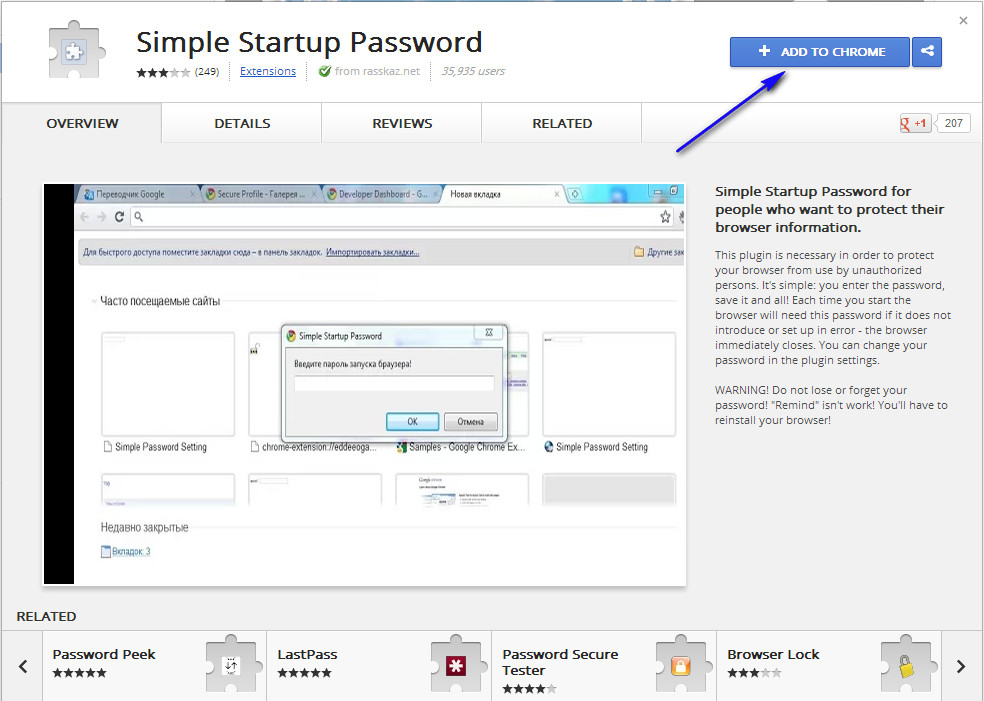
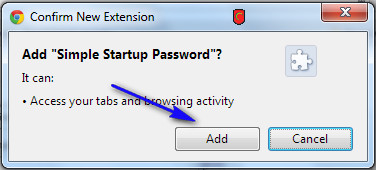
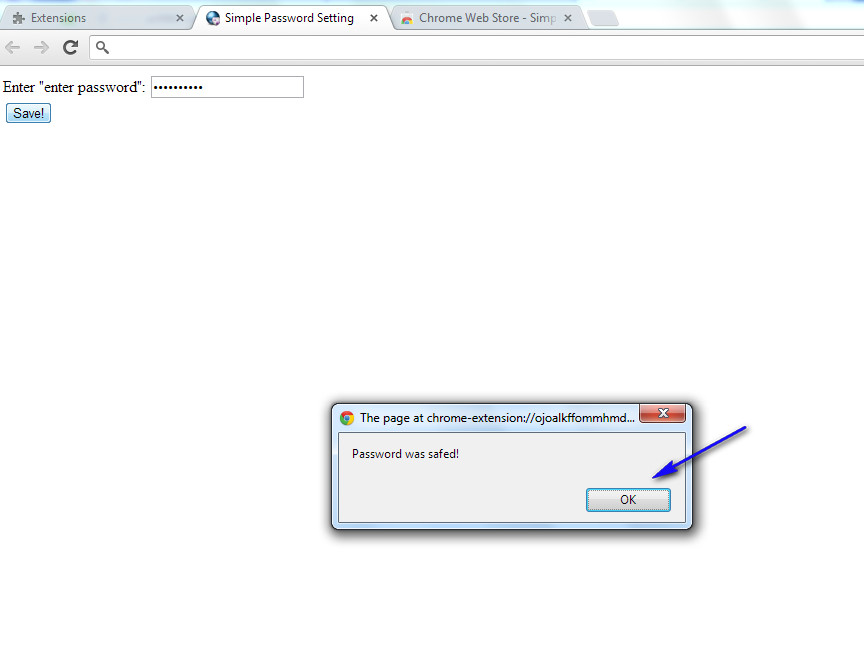
The name of this extension is Simple Startup Password. Open up Google chrome and visit this chrome extensionsdownloading page .A new page will be appearing and now click on “Add to Chrome “. After it, Chrome will demand confirmation. Simply click on “Add “. You can see in the screenshots.
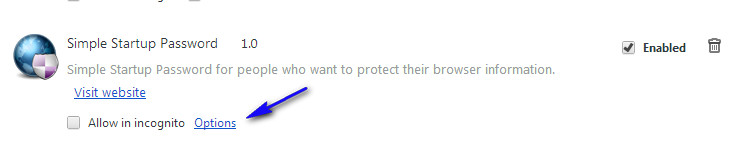
Now visit the Extension page and Click on Option.
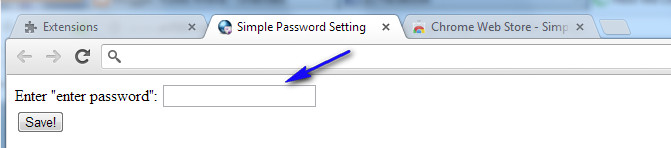
When you click on it a new window open like this!
So in this box write carefully password and keep in your mind its use when you open your browser.
And then click on OK for check the result reopen your browser.
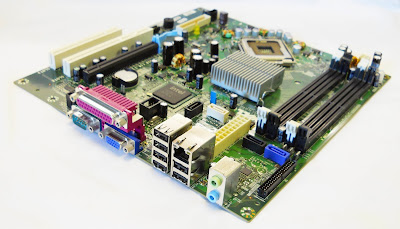
Upgrading Dell laptop or Desktop motherboard bios is very important for your PC .How can update Dell motherboard bios .Follow the next steps to update Dell Motherboard Bios .
how can update dell laptop bios
The Main purpose of upgrading Dell Laptop Bios
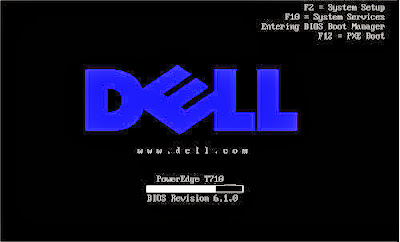
BIOS update Means A Basic Input/Output System and it is a software utility that updates the programming of the most basic hardware in your laptop. A BIOS update can often fix problems and/or add features to the computers BIOS.
If you are not experiencing problems on your computer and are not aware of any additional features in the BIOS that are needed, then you may not need to perform the update. You can preview the release notes for the specific update to determine whether it will benefit you.
Update Dell Motherboard bios Tips
Very important note : Dell portable systems must have the battery installed and also be running on A/C power prior to updating the BIOS.
Go to Dell support page from here "Dell Support Page"
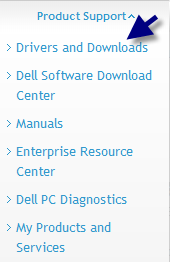
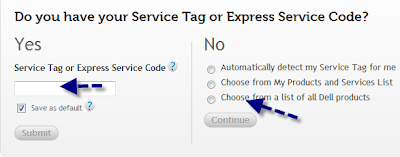
Enter your system service tag number OR navigate to the specific model of computer you have. (As an alternative, you may click on Drivers & Downloads in the Popular Support Tools, then enter your system service tag or choose your system. If you do this go on to Step 4.)
Click on the Drivers & Downloads tab.
In the pull-down menus, choose your computers Operating System and under Category, choose BIOS.
Scroll down the list of available drivers until BIOS is visible.
Click the arrow on the left to Expand the category and show available BIOS updates.
Click on the most recent version of the BIOS.
You may install the latest version of the BIOS no matter what previous version you have installed. They do not need to be installed in order as each new version includes changes from all previous versions.
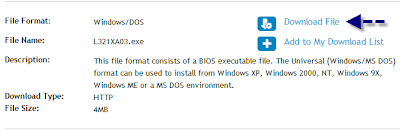
Click Download File to begin the download process.
When the file download window appears, click Run.
Follow the on-screen instructions to complete the installation.
We will put all laptop bios update software here in separate articles .
Please feel free to contact me if you have any Dell laptop bios update problem ,fill this form "Contact US " or leave a comment .
If you like this article , please share it with your friends .
For more Information , please visit this page "Dell Help " .
I hope to enjoy with this article "how can update dell Motherboard bios "
How Can I Recover Data from a Dead or Erased Hard Drive
hard drive recovery
Dear Lifehacker,
I have a hard drive with valuable information on it, but I cant seem to access it—the drive is either damaged or erased. Is there any way I can see whats on the drive and get it off?
Sincerely,
Drive Paramedic
Dear Paramedic,
Dont worry, were not going to ask where you got the drive, but there are plenty of ways to examine it and see if any of the data is recoverable. With a little time, the right tools, and some care, you may be able to get some data off of that drive.
Step One: Assemble Your Tools and Examine The Drives Condition
The first thing to do is make sure you have the tools required to connect this drive to another computer safely. Ideally, youll have some kind of SATA/IDE to USB cable or USB drive enclosure or sled that you can mount the drive into and connect it to your computer easily. Sure, if you have a desktop and like getting your hands dirty you can try to install the drive as an internal one, but an external connection is faster and easier.
C2G / Cables to Go 30504 USB 2.0 to IDE or Serial ATA Drive Adapter (Black)
How Can You Add A New Widget Container Below Header Above footer In Blogger
After shearing how to add keyboard keys effect in blogger blog Now today I am shearing with you that how can you add a new widget container in your blogger template below header and above footer. Many of time you imagine when we install a new template in blogger he have not widget container in below header and above footer but don’t worry! Here is the solution. You can easily add Widget container manually in your blogger templates. just follow the below simple steps.
How Can You Add A New Widget Container?
Log in to your blogger account.
Click on blog title in which you want to add This.
Go to Template and then click on "Edit HTML" Check Expand Widget Box..
Now Find bellows code Using Ctrl+F Function.
Note: For applying new widget below header.
</div><!-- end header-wrapper -->
Copy the below code and paste After/Below above code.
<!-- New widgets container Start --> <b:section class=NewContainer id=NewContainer/> <!-- New widgets container End -->
Note: For applying new widget above footer.
</div> <!-- end content-wrapper -->
Copy the below code and paste After/Below above code.
<!-- New widgets container Start --> <b:section class=NewContainer id=NewContainer/> <!-- New widgets container End -->
Now save your template and check in layout for new widget container! You are done…..
If you have any question about it please write a comment.