Showing posts with label followers. Show all posts
Showing posts with label followers. Show all posts
Wednesday, August 24, 2016
How To Add Google Followers Box In Blogger Sidebar Or footer
How To Add Google Followers Box In Blogger Sidebar Or footer

But This useful widget increases your Google+ followers and connects your viewers through social media.
CSS3 keyboard like text effect in blogger
How to add Google+ Follower Box in BlogSpot?
- Log in to your blogger account.
- Click on blog title in which you want to add This Google+ followers Box.
- Go to layout and then click on Add a Gadget.
- A Pop-up box will Appear, click on Google+ Follower. See in the screen Shot Below
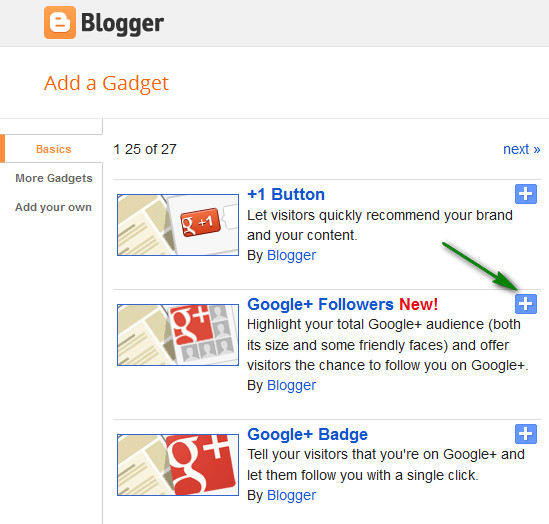
- After Adding click on save. You Are Done!
Hope you enjoy adding this new Google+ Follower box. Thanks and happy blogging.
Add A New Widget Container Below Header
Go to link download

Subscribe to:
Posts (Atom)