Showing posts with label fixed. Show all posts
Showing posts with label fixed. Show all posts
Sunday, December 4, 2016
Beautiful Join Us On Facebook Fixed Widget for Blogger 2013
Beautiful Join Us On Facebook Fixed Widget for Blogger 2013
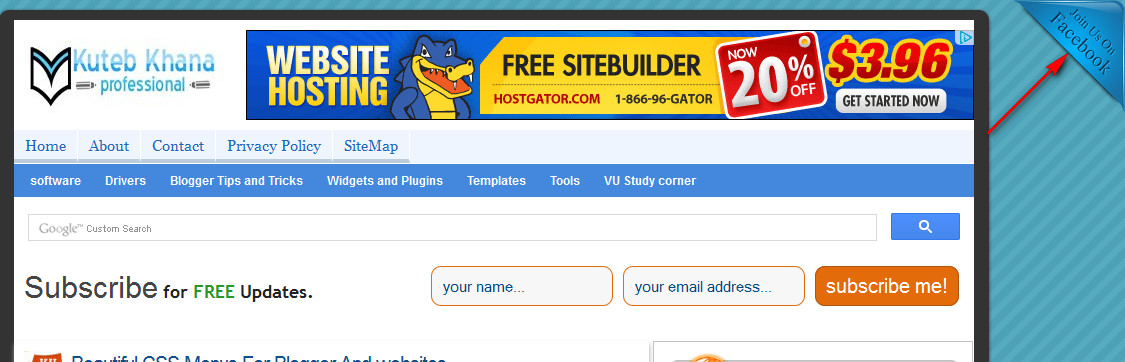
A few days ago I published an article how to add Facebook like page box in bloggers blog. But now today I am shearing a beautiful join us on Facebook fixed widget for blogger blog. As you know Facebook is one of the biggest social media to increase your admirer. From this beautiful social media Facebook widget you can inspire your viewers to like your fan page on Facebook and can get more and more viewers for your blog or website. You can add this widget on both side of your web pages at the top of right side and left side. So let’s enjoy follow these simple steps to add this beautiful Facebook widget in blogger blog.
Add facebook like page box in blogger
CSS3 keyboard like text effect in blogger
CSS3 keyboard like text effect in blogger
How to add this beautiful join us on Facebook widget?
- Log in to your blogger account.
- Click on blog title in which you want to add This beautiful Widget.
- Go to layout and then click on Add a Gadget.
- Select Html/JavaScript and paste the below code in it.
LIVE DEMO
 At top of Right Corner Use The Code Below.
<style>#facebook {position: fixed;top: 0;right: 0;z-index: 9997;cursor: pointer;}</style><a href=http://www.facebook.com/kutebkhana id=facebook target=_blank><img alt=Join Me On Facebook src=https://blogger.googleusercontent.com/img/b/R29vZ2xl/AVvXsEgDWnqZEUwIlK8vRivdt5_U2G24-XyHDLMkuQqxoTr8eP3yD18-zy-_d7keXP5su1-JTLSdgB8afeib3wC6KUNavOZij9QZKkqHhSSWcTbLECvxYrHP0QC8xUAgriZLwb3n1cW4doI8O44/s1600/JoinUsOnFacebook.png/></a>
- At top of left corner use the code below.

<style>#facebook {position: fixed;top: 0;left: 0;z-index: 9997;cursor: pointer;}</style><a href=http://www.facebook.com/kutebkhana id=facebook target=_blank><img alt=Join Me On Facebook src=https://blogger.googleusercontent.com/img/b/R29vZ2xl/AVvXsEjHSPeX99Cx0zvknTk1tCHOSCj7gNRz82ThvmhNk1YJwqGBdBa5pzJE6qW37gS7OyIWjdUd37g0KJFBbqVlIJNO-dSOK_j_FvYhKFtUWd-wGPIum6yiPe1t5T4sDT3zKk7rIluTWj0mjSs/s1600/JoinUsOnFacebook.png/></a>
Customization!
- Replace kutebkhana page title with your own page title.
You Are Done!
If you have any problem feel free to ask me in comment section.......Go to link download

Friday, November 25, 2016
Add An Awesome Fixed Position Slide Open Heart Bookmarking Gadget To Blogger
Add An Awesome Fixed Position Slide Open Heart Bookmarking Gadget To Blogger
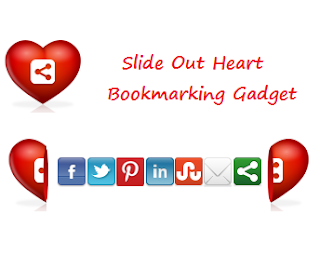
generate lots more shares.So below is a tutorial showing you just how to do that, first check out the live demo.

Add The Split Heart Bookmarking Gadget Top Your Blog
Remember Always Back Up Your Template Before You Make Changes
Step 1. In Your Blogger Dashboard Click Design > Edit Html
Step 2. Find the following piece of code in your blogs Html : (Click Ctrl and F for a search bar to help find the code
</head>Step 3. Copy and Paste the following code Directly Above / Before </head>
<!-- Start Heart Bookmarking Gadget Code From http://shakeelasghar.blogspot.com// -->
<script src=http://w.sharethis.com/gallery/shareegg/shareegg.js type=text/javascript/>
<script src=http://w.sharethis.com/button/buttons.js type=text/javascript/>
<script type=text/javascript>stLight.options({publisher: "ur-98d377f-bdd3-9ad1-fbe5-2a678f0a60ee", onhover:false}); </script>
<link href=http://w.sharethis.com/gallery/shareegg/shareegg.css media=screen rel=stylesheet type=text/css/>
<!-- End Heart Bookmarking Gadget Code From http://shakeelasghar.blogspot.com// -->
Step 4. Find the following piece of code in your blogs Html : (Click Ctrl and F for a search bar to help find the code.
</body>
Step 5. Now Copy And Paste This Code Directly Above / Before </body>
<!-- Start Heart Share Code From http://shakeelasghar.blogspot.com// -->Important, Move The Position Of The Gadget :
<div style=position: fixed; bottom: 2%; left: 2%;>
<div class=shareEgg id=shareThisShareHeart/>
</div>
<script type=text/javascript>stlib.shareEgg.createEgg('shareThisShareHeart', ['facebook','twitter','pinterest','linkedin','stumbleupon','email','sharethis'], {title:' <data:blog.pageTitle/>',url:'<data:blog.url/>',theme:'shareheart'});</script><a href="http://shakeelasghar.blogspot.com//">Blogger Wordpress Gadgets</a><!-- End Heart Share Code From http://shakeelasghar.blogspot.com// -->
The Gadget is currently set to be in the bottom right corner of your blog but you can easily change this.In yellow above you can see bottom: 2%; left: 2%;.You can change Bottom to top for it to be at the top of the page and left to right for it to be on the right of the page.You can also change the percentages to have it further from the bottom/top and left/right.
Step 6. Save Your Template.
Thats it the gadget has been added to your blog.Make sure to check out more of our Blog Gadgets and Social Bookmarking Gadgets.
Go to link download
Sunday, August 7, 2016
Make Blogger Sidebar Fixed Sticky That Scrolls with You!
Make Blogger Sidebar Fixed Sticky That Scrolls with You!

You can arrange your blogger sidebar in several ways. Here I will show you some way of displaying sidebar as like fixed, sticky, animating. So lets see some example!
- Fixed Sidebar– with only CSS [See Example]
- jQuery Sticky Sidebar that Scrolls with Visitor! [See Example]
- jQuery Sticky Widget (only a specific widget will be Scroll ) [
This page is a example!, Sticky Widget is almost same as Sticky Sidebar, there whole sidebar stick around and here only a single widget stay sticky.]
Go to link download
Subscribe to:
Posts (Atom)